
ChatSpace - Chat, Talk & Fun
Coshi B.V.Social
3.7324.00 Reviews
- Version
- 0.0.68
- Installs
- 100.00K
- Age Rating
- Mature 17+
Screenshots
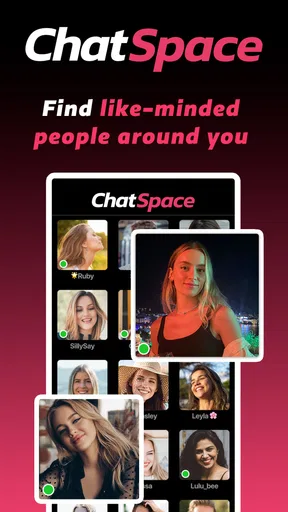

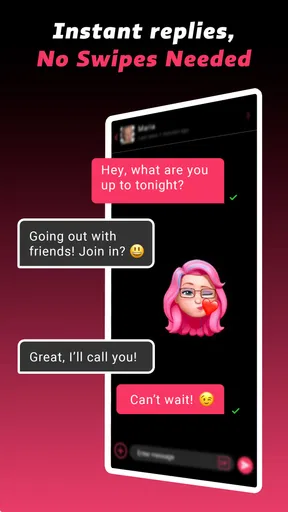
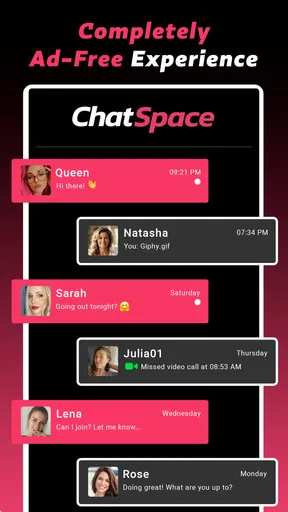
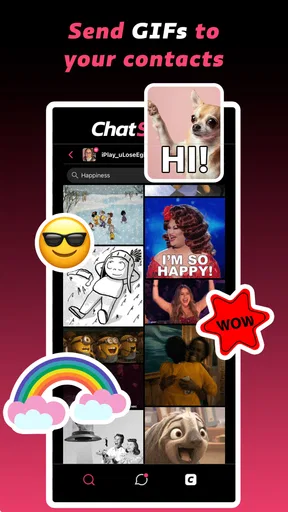
Our Review of ChatSpace - Chat, Talk & Fun
 Analysis by Appyee
I approached ChatSpace as a social app for quick conversations rather than as a replacement for every messaging service already on my phone. Its central appeal is straightforward: it aims to help people connect and start chatting without making the first step feel like a long registration project. That makes it interesting for casual conversations, meeting people around a shared interest, or keeping a spare social channel available when a familiar contact app feels too formal.
My household-focused test also changed how I judged it. An app built around meeting and chatting with real users needs to be considered differently when a phone is shared, passed between relatives, or used near younger family members. The experience can be convenient, but convenience is not the same as privacy or suitability for everyone. I found that the best way to use it is with clear boundaries: one person at a time, an intentional account setup, and an understanding that the mature age label matters before anyone starts browsing conversations.
Using ChatSpace on a shared phone
The most realistic household scenario is not a family group chat. It is a shared or borrowed device: perhaps one person wants to try the app, then another uses the same phone later for ordinary tasks. In that situation, I would not treat ChatSpace like a neutral utility. It is a social space, and conversations may be personal, unexpected, or intended only for the account holder.
The first practical rule is simple: do not leave an active session open for the next person. I would also avoid handing the phone to a child while the app is visible, even if the child is only looking for a game or another application. The mature 17+ rating is an important part of the decision, not a small label to ignore. It tells me this is designed for an older audience and should be kept separate from younger users’ casual screen time.
For a couple or roommates sharing a device, the app can still be workable, but only if each person treats the account as personal. I would not use one profile as a communal conversation box. That creates confusion over who is replying, makes private messages easier to expose, and can make a harmless exchange look suspicious when another person opens it without context. A separate user profile or separate device is the cleaner arrangement whenever that is practical.
This is also where the app’s low-friction approach has a trade-off. Fast access is useful when I want to begin chatting immediately, but a quick start can encourage people to skip the small privacy habits they would normally follow with a more established messenger. Before using it around other people, I would check who can physically access the phone, whether notifications are visible on the lock screen, and whether the app remains open after I finish.
What the quick start is good for
ChatSpace makes the most sense when I want social contact without building a large setup routine first. A person joining a conversation after seeing a recommendation, exploring a new online community, or simply looking for a less formal way to talk may appreciate that directness. The app’s store positioning emphasizes immediate connection, and in practice that gives it a different feel from services where I first need to collect contacts or organize a network.
That convenience is especially useful for a short, defined session. For example, if I am waiting for an appointment and want light conversation, I can open a social app rather than sending messages to people who may be busy. If I am coordinating with someone who does not use my usual messenger, a dedicated chat space can also reduce the need to exchange several different account details.
Still, I would not confuse “easy to enter” with “easy to trust.” A quick conversation can become personal quickly, and the app’s social purpose means I should decide in advance what I am comfortable sharing. I would start with general topics, avoid sending identifying information, and move away from a conversation that pressures me to reveal more than I intended.
A useful habit is to treat the first few messages as a screening stage rather than as the beginning of a friendship. I look for whether the other person respects a simple boundary, accepts a delayed reply, and stays consistent about why they are chatting. That approach is more valuable here than trying to make every interaction feel warm immediately.
Keeping accounts and conversations separate
Shared-device use raises a question many people have before installing a social app: can different household members use it without mixing their identities? My answer is that the separation should be planned outside the app unless the app clearly provides the account tools you need. I would not assume that switching users is automatic, invisible, or safe just because the app opens quickly.
Before creating an account, I would decide whose email address or sign-in details belong to it, who will receive any account messages, and who can recover access if the phone is replaced. I would also avoid saving another person’s credentials in a shared password manager or browser profile. These steps are not exciting, but they prevent the common household problem where one person’s social identity becomes attached to another person’s device habits.
Notifications deserve special attention. Even without opening the app, a message preview can reveal that someone is chatting and may expose part of a private conversation. On a shared phone, I would review the operating system’s notification display and use the most discreet option available. I would also close the application after chatting instead of leaving it on the last conversation.
There is another boundary that matters: do not let a child use an adult’s account as a shortcut around the age rating. That does not create a safer version of the service; it only hides who is actually using it. If the device belongs to several people, the responsible choice is to keep the app limited to the intended adult user rather than treating a shared login as a household account.
Coordination, trust, and everyday use
I use this section to look at the practical boundary between a casual chat space and a dependable way to coordinate with people at home. A small habit that helps is to decide, before opening a conversation, whether I’m there to socialize or to make a plan that someone else must act on. That distinction makes it easier to choose the right channel and sets up a closer look at how ChatSpace fits beside ordinary messengers.
Where it fits beside ordinary messengers
I see ChatSpace as closer to an open social conversation tool than to a family coordination app. A conventional messenger is usually strongest when everyone already knows one another, contact lists are established, and the goal is dependable planning. ChatSpace is more appealing when the point is discovery or casual interaction with people outside my existing circle.
That distinction matters for household coordination. I would not rely on it as the only place to arrange school pickups, share an address with relatives, or communicate an urgent change of plans. For those jobs, a familiar private messenger or a direct call is usually clearer because the participants and purpose are already known. ChatSpace can support a conversation, but it should not become the household’s central noticeboard by accident.
It can, however, be useful as a separate channel for a specific social activity. A household member might use it to talk with people connected to a hobby, while the family continues using its normal messaging service for practical matters. Keeping those purposes apart makes the app easier to manage and reduces the chance that an important family message gets lost among casual chats.
My strongest coordination tip is to agree on the channel before sharing sensitive details. If someone says, “message me there,” I would first confirm exactly which account or conversation they mean. This sounds obvious, but open social spaces can contain similar names and unfamiliar contacts. A quick confirmation prevents the awkward and potentially serious mistake of sending personal information to the wrong person.
Three habits that improve the experience
First, I would use a staged profile. Start with only the information needed to participate comfortably, then add context later if the conversation proves respectful. This gives me time to judge the quality of an interaction before making myself easier to identify. It also keeps a shared household device from displaying more personal information than necessary.
Second, I would create a stopping point for conversations that become repetitive or demanding. The app’s value is not measured by how long I stay online. If a person keeps pushing after I have answered a question, asks for private contact details too soon, or turns a casual exchange into pressure, ending the chat is a sensible use of the service rather than a failure to be social.
Third, I would separate social discovery from real-world coordination. I can discuss interests, plans, or general experiences without immediately sharing my workplace, school, neighborhood, daily schedule, or travel details. If a conversation eventually needs a practical meeting arrangement, I would keep the first plan public, tell someone I trust, and make sure I can leave independently. That workflow is particularly important because the app is designed to connect with real users, not merely to organize people I already know.
These habits are not substitutes for the app’s own controls, but they make the user’s side of the experience more deliberate. They also help answer a common concern: how much personal information should a new user provide? My answer is less than they probably think. A good conversation can develop without a full personal profile, a precise location, or immediate movement to another platform.
Age context and trust
The mature rating changes who I would recommend it to. I would consider it for adults and older users who understand that online conversations can involve strangers, uneven intentions, and content that is not appropriate for younger people. I would not recommend it as a first social app for a child, nor would I install it on a family tablet that children routinely browse without supervision.
For parents, the key question is not simply whether a teenager is curious about the app. It is whether the teenager can recognize manipulation, decline requests confidently, and tell an adult when an interaction becomes uncomfortable. If the answer is uncertain, I would choose a more controlled communication option instead. No quick connection is worth weakening a young person’s privacy boundaries.
Trust should also be earned in small steps. A friendly tone is not proof of identity, and a profile that seems detailed is not proof that the details are true. I would avoid sending money, accepting urgent requests, sharing verification codes, or allowing a new contact to dictate where the conversation moves. If someone claims to know a household member, I would verify that claim through a separate, trusted channel rather than relying on the chat alone.
This may sound cautious for a social app, but it is exactly why I would use ChatSpace with a clear purpose. It can make starting a conversation feel easier; it cannot make every person on the other side trustworthy. The app lowers the barrier to contact, while the user still has to decide which contacts deserve continued attention.
Performance, cost, and platform expectations
ChatSpace is free to install, which makes trying it relatively easy. The app also includes in-app purchases ranging from $5.99 to $359.99 per item, so I would review any purchase screen carefully before confirming anything. A free download should not be interpreted as an entirely cost-free experience, particularly if someone else in the household uses the phone or payment account.
That point is especially relevant on a shared device. I would make sure the person using the app understands which payment account is connected to the device and would not hand the phone to someone who might tap through purchase prompts without asking. If the phone is used by several people, purchase authentication is a sensible household safeguard even when nobody expects to buy anything.
The app comes from Coshi B.V. and is currently at version 0.0.68, which suggests I should keep my expectations realistic about polish and change. A social app can feel different after updates because conversation flows, account screens, or small interface details may evolve. I would keep it updated through the normal platform process, but I would also recheck privacy and notification settings after a major change rather than assuming they stayed exactly as I left them.
It supports devices running Android 8.0 or later, so compatibility is fairly broad for many Android users. That does not guarantee the same experience on every phone, especially on older shared devices with limited storage or slower performance. If the app feels awkward on a household backup phone, I would not treat that as a reason to force it into daily use; the social experience depends heavily on the device being comfortable and available.
What the public response tells me
The app has reached over one hundred thousand installs, while its average rating sits at 3.7 from around 1.6 thousand ratings and 324 written reviews. I read that as a mixed but meaningful signal: enough people are trying it to establish a visible user base, yet the experience is not universally smooth or satisfying.
For me, that rating supports a trial-first approach. I would install it, explore the account and conversation flow, and decide whether the available interactions feel worthwhile before investing time or making any purchase. I would not present it as a universally reliable alternative to mature messaging platforms, because the public score suggests that expectations and experiences vary.
The written feedback count also reminds me that social apps are judged by more than interface design. The quality of the people available, the speed of replies, the clarity of account boundaries, and the user’s own expectations all shape the result. Someone seeking a busy, carefully moderated community may prefer a specialized service built around a known interest. Someone who wants a quick, informal way to start talking may find ChatSpace more appealing.
Who should use it, and who should skip it?
I would recommend trying it to an adult who wants low-friction social discovery and is comfortable applying their own privacy judgment. It may suit someone who does not want to build a contact list first, who enjoys short conversations, or who wants a separate space for meeting unfamiliar people around everyday interests.
I would skip it for a household looking for a shared family communicator. It is not the tool I would choose for calendars, emergency coordination, private family announcements, or conversations involving children. I would also skip it if I wanted a tightly managed environment where every participant is already known to me.
There is a further trade-off for people who dislike uncertainty. Open-ended social contact can be energizing, but it can also produce uneven conversations and unwanted attention. If I were looking for predictable replies, professional networking, or a focused community with strong topic structure, I would choose a platform designed specifically for that purpose instead of expecting ChatSpace to provide it.
On the other hand, the app can be a reasonable complement to those services. I would use a specialized community for depth, a conventional messenger for trusted contacts, and ChatSpace for spontaneous conversation. That division gives each tool a clear job and prevents one app from carrying expectations it was not designed to meet.
My household verdict
ChatSpace is most convincing when I use it intentionally: one adult account, one clear purpose, modest personal disclosure, and no assumption that a fast connection is automatically a safe one. Its free entry and direct social focus make it easy to test, while the mature rating and in-app purchase range mean it deserves more attention on a shared device than a casual utility would receive.
I like the idea of keeping it as an optional social outlet rather than making it the household’s default communication system. In that role, it can offer a lighter way to start conversations and explore contacts beyond my normal circle. The experience becomes less appealing when I need firm identity boundaries, family privacy, dependable coordination, or a space suitable for younger users.
My final recommendation is therefore conditional but positive: adults should give it a careful trial if they want quick, informal chatting, while families should keep accounts, notifications, payments, and device access clearly separated. The best experience comes from treating ChatSpace as a personal social space, not as a communal household inbox. That single distinction makes its strengths easier to enjoy and its limitations much easier to manage.
Verdict
Strengths of ChatSpace - Chat, Talk & Fun
- Simple interface makes it easy to start conversations quickly.
- Supports casual chats for meeting people with similar interests.
- Fun social features help keep conversations engaging.
- Useful for passing time with low-pressure, informal interactions.
- Available on mobile, making chats accessible wherever you are.
Limitations of ChatSpace - Chat, Talk & Fun
- Some conversations may feel repetitive or lack meaningful engagement.
- Privacy settings should be checked carefully before sharing personal details.
- User activity and response quality may vary depending on the time of day.
- The app may not appeal to users seeking professional networking tools.
- Notifications can become distracting if chat activity is frequent.
Similar Picks in This Category
View All
Meta Platforms, Inc.4.6

Instagram4.0

Likee-Live, Chat & Party Games
Likeme Pte. Ltd.4.4

Facebook Lite
Meta Platforms, Inc.4.5

TikTok - Videos, Shop & LIVE
TikTok Pte. Ltd.4.0

Moj: Free Short Drama & Reels
ShareChat4.1
Frequently Asked Questions
What is ChatSpace - Chat, Talk & Fun used for?
ChatSpace - Chat, Talk & Fun is a social communication app designed for meeting people, starting conversations, and enjoying casual interaction online. Users can generally create a profile, browse or discover other members, exchange messages, and participate in entertainment-focused conversations. The experience is aimed at people who want a more relaxed alternative to traditional messaging apps, although the available features may depend on the current version and regional availability.
Is ChatSpace - Chat, Talk & Fun free to download and use?
The application can typically be downloaded without an upfront purchase, but free access may not include every feature. Some functions, such as enhanced discovery tools, virtual items, additional messaging options, or other premium benefits, may require in-app purchases or a subscription. Before spending money, review the pricing, renewal terms, and payment details shown in the app store and inside ChatSpace, since these can change with updates.
Is ChatSpace safe for chatting with strangers?
ChatSpace may include standard tools such as profile controls, blocking, reporting, and privacy settings, but no social app can guarantee that every user is genuine or well-intentioned. Avoid sharing your address, passwords, financial information, private photographs, or verification codes. Keep early conversations inside the platform, be cautious of requests for money, and report suspicious behavior immediately. Parents should also check whether the app is appropriate for younger users.
Does ChatSpace require an account or personal information?
Most communication and discovery features usually require some form of account or profile, which may involve information such as a username, email address, phone number, age, profile photo, or location preferences. The exact requirements can vary by device and app version. Before registering, read the privacy policy and review the permissions requested. Only provide information that is necessary, and adjust visibility settings if you do not want your profile widely discoverable.
Can I delete my ChatSpace account and control notifications?
Account and notification controls are normally available through the profile or settings area, although the wording and location may differ between Android and iOS versions. Look for options related to account management, privacy, notifications, blocking, and data removal. Uninstalling the app alone may not delete your account or stored information. If there is no direct deletion option, contact the app’s official support channel and request account removal.
